

For Australian business owners, managing and communicating effectively with virtual assistants (VAs) can make a substantial difference in productivity and overall business success. The right tools not only streamline processes but also enhance collaboration and time management, ensuring that both in-house and virtual teams work efficiently together. In this article, we’ll discuss some of the best tools for managing virtual staff and highlight how Australian businesses are successfully using these tools to get the most out of their virtual teams.
Effective Tools for Managing Virtual Assistants
Managing tasks and maintaining clear communication are essential when working with virtual assistants. Whether your focus is on task management, file sharing, or time tracking, these tools offer features that simplify workflows and help teams stay aligned.
1. Asana: A Comprehensive Task Management Tool

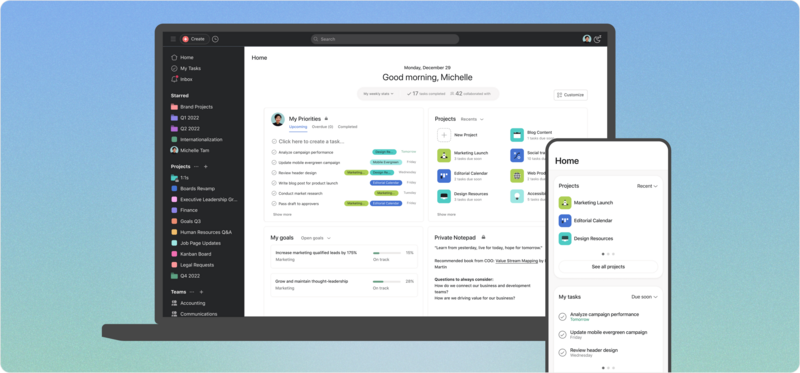
Australian businesses like Canva use Asana as their go-to task management solution. Asana offers a variety of views, such as lists, boards, and calendars, which help break down complex projects into manageable steps. It’s ideal for managing multiple tasks across a team and assigning specific responsibilities to each team member.
Key Features:
- Task assignment and due dates
- Project timelines for tracking progress
- Real-time updates on task status
- Basic free version for small teams and premium options for advanced features
Why It Works: Asana’s user-friendly interface and collaboration tools make it a top choice for both small and large Australian companies, streamlining task management and boosting productivity.
2. Slack: Instant Messaging for Real-Time Communication

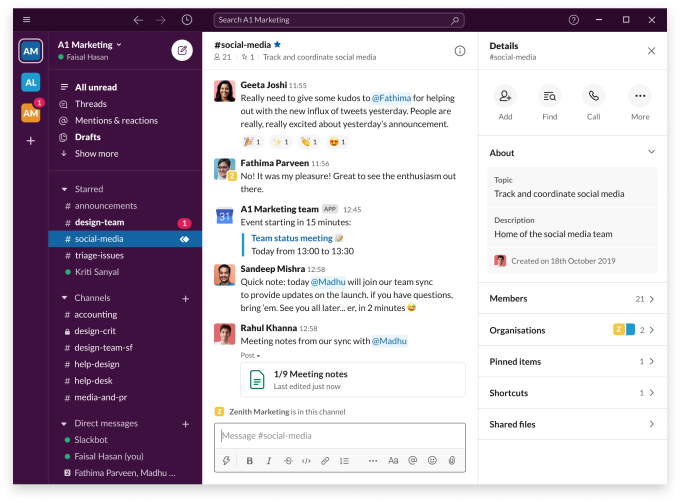
Slack is an essential communication tool for many Australian businesses, including startups and established companies. It helps VAs and in-house team members stay connected through direct messages, channels for specific projects, and video calls. Slack’s integrations with other project management tools like Asana and Google Calendar further simplify scheduling and task coordination.
Key Features:
- Organised channels for topics or projects
- File sharing and document management
- Real-time messaging with video and voice options
- Integrations with Asana, Google Calendar, and more
Why It Works: With its free plan for small teams and more robust paid options, Slack is a flexible communication tool that allows for enhanced productivity and easy collaboration.
3. Trello: Visual Project Management for Small Businesses

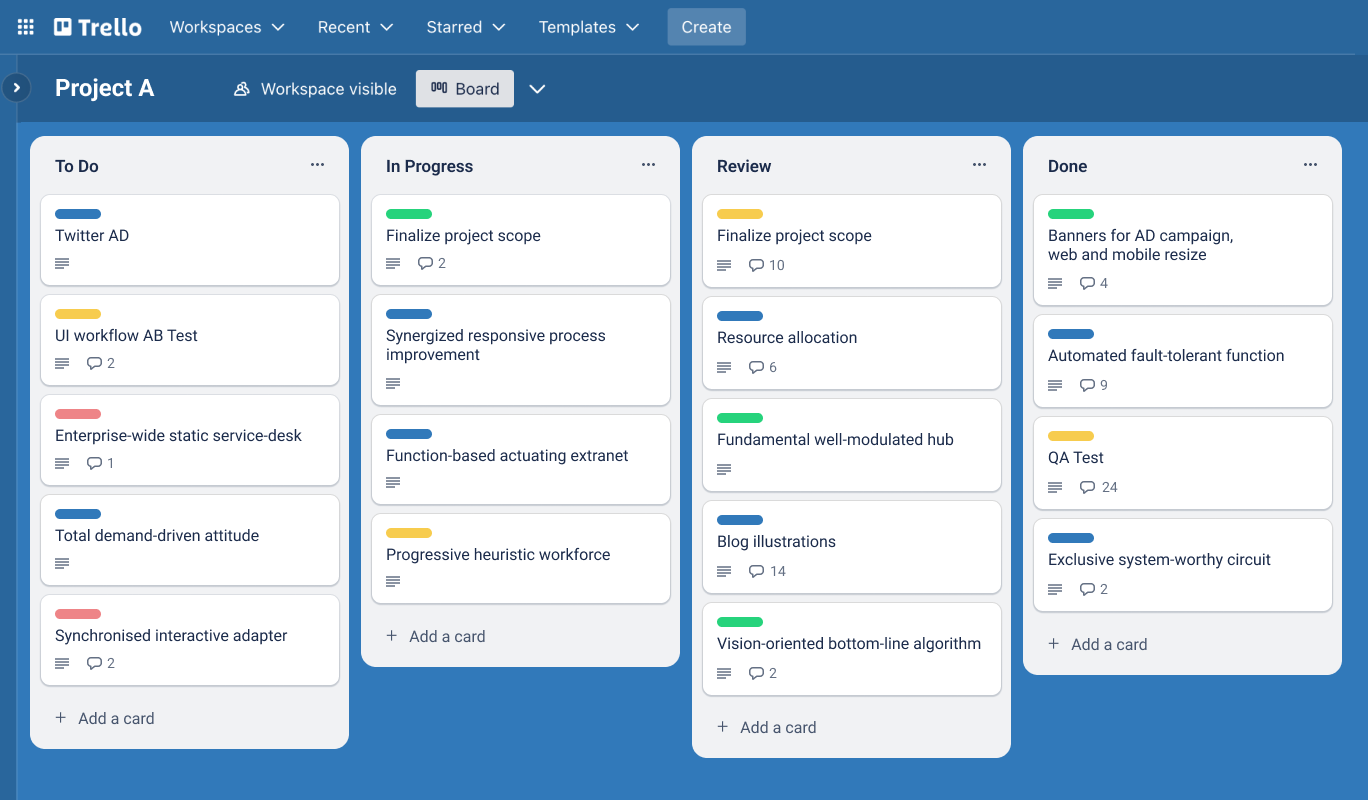
For small Australian businesses looking for a simple yet effective project management tool, Trello offers an easy-to-use, visually focused approach. Trello uses boards, lists, and cards to organise projects and track progress, making it especially useful for managing multiple VAs on social media campaigns or content projects.
Key Features:
- Visual task boards with drag-and-drop functionality
- Customizable labels for easy project sorting
- File attachments and due dates for each card
- Basic free version available with affordable upgrades
Why It Works: Trello’s visual format makes it ideal for VAs managing social media or creative tasks, offering a clear overview of project stages and task assignments.
4. Time Doctor: Efficient Time Tracking and Productivity Monitoring

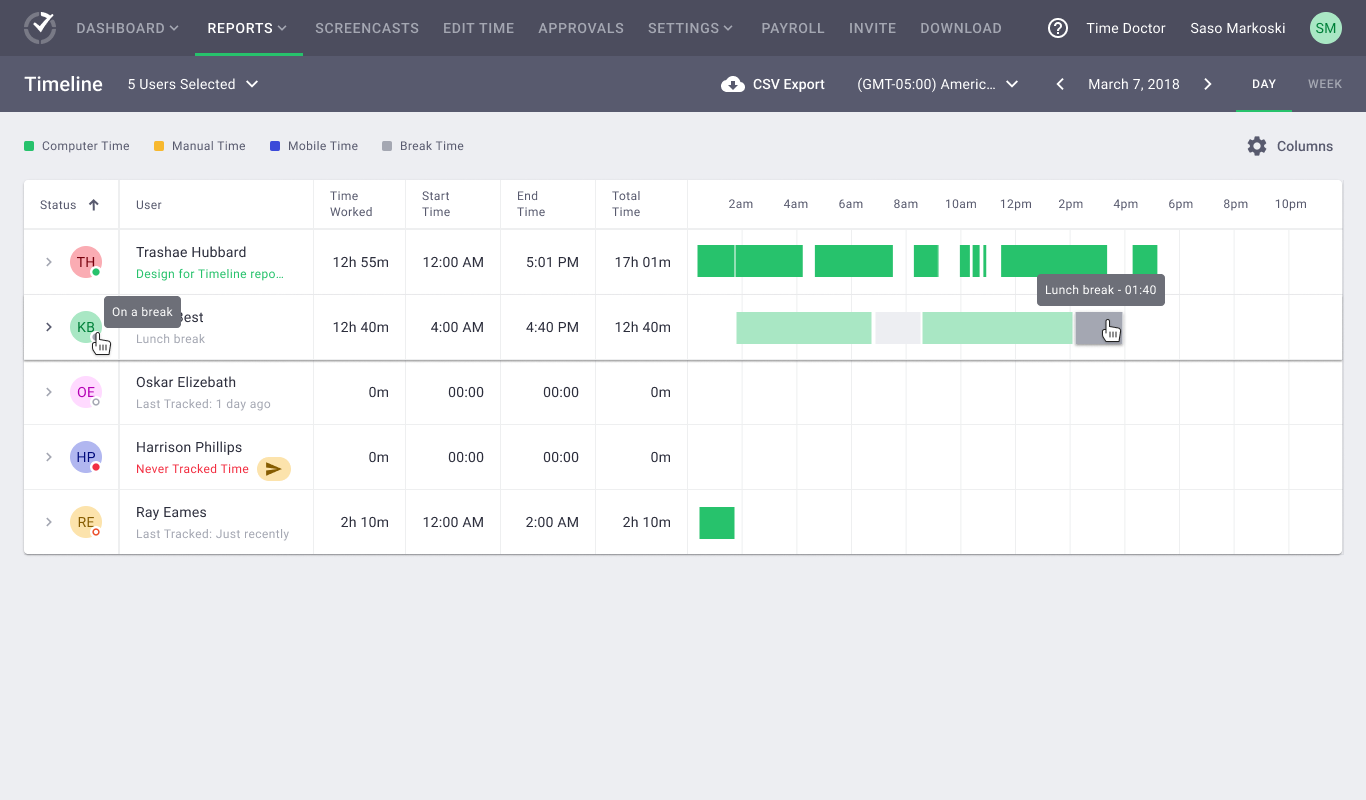
Time Doctor is popular among Australian businesses looking to maintain productivity and track the time spent on tasks by virtual assistants. The tool records the time spent on specific activities, allowing managers to see where their VAs are spending the most time and optimise workflows if needed.
Key Features:
- Detailed time tracking with screenshots
- Productivity reports for individual team members
- Integration with popular task management tools
- Monitors websites visited during work hours
Why It Works: Time Doctor’s insights into time usage are valuable for small businesses that require precise time tracking to maintain efficiency and accountability.
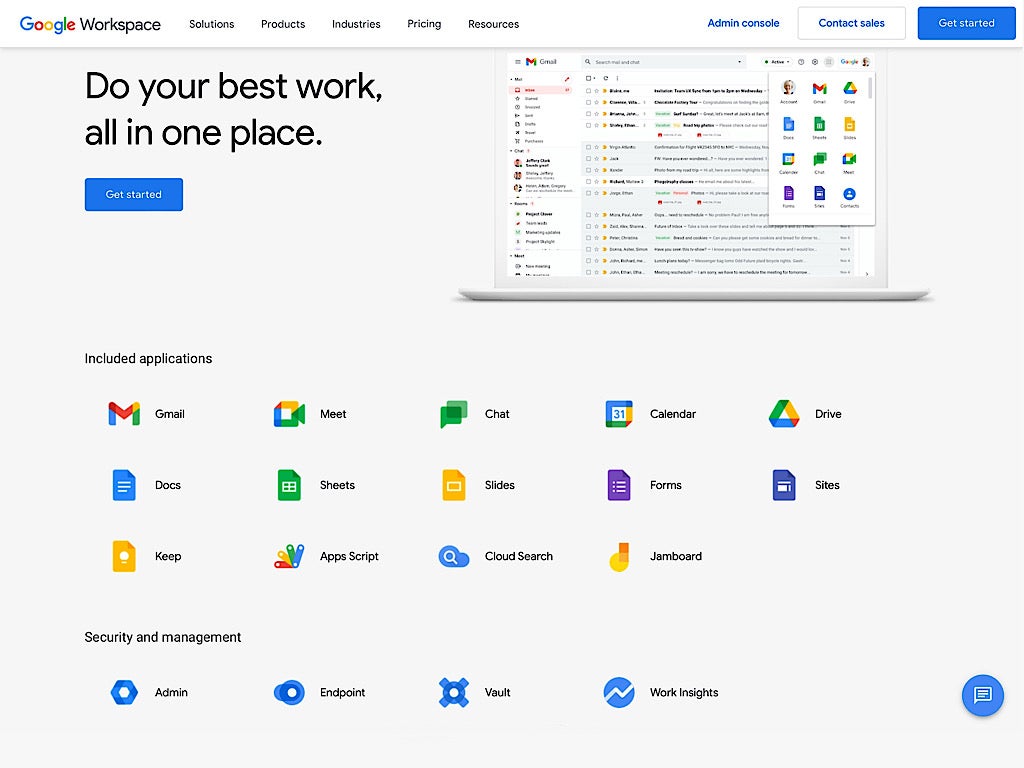
5. Google Workspace: A Complete Suite for Collaboration and File Sharing

Google Workspace, formerly known as G Suite, is a favourite for Australian businesses in need of robust file sharing and document management tools. With apps like Google Drive, Docs, and Sheets, VAs can work seamlessly on tasks, even if they’re on the other side of the world.
Key Features:
- File sharing with controlled access
- Real-time collaboration in Docs, Sheets, and Slides
- Google Calendar for task scheduling
- Email through Gmail for professional communication
Why It Works: Google Workspace integrates with other platforms like Asana and Slack, allowing virtual staff to work on shared files and projects efficiently.
6. Zoom: Video Conferencing for Team Meetings and Check-Ins

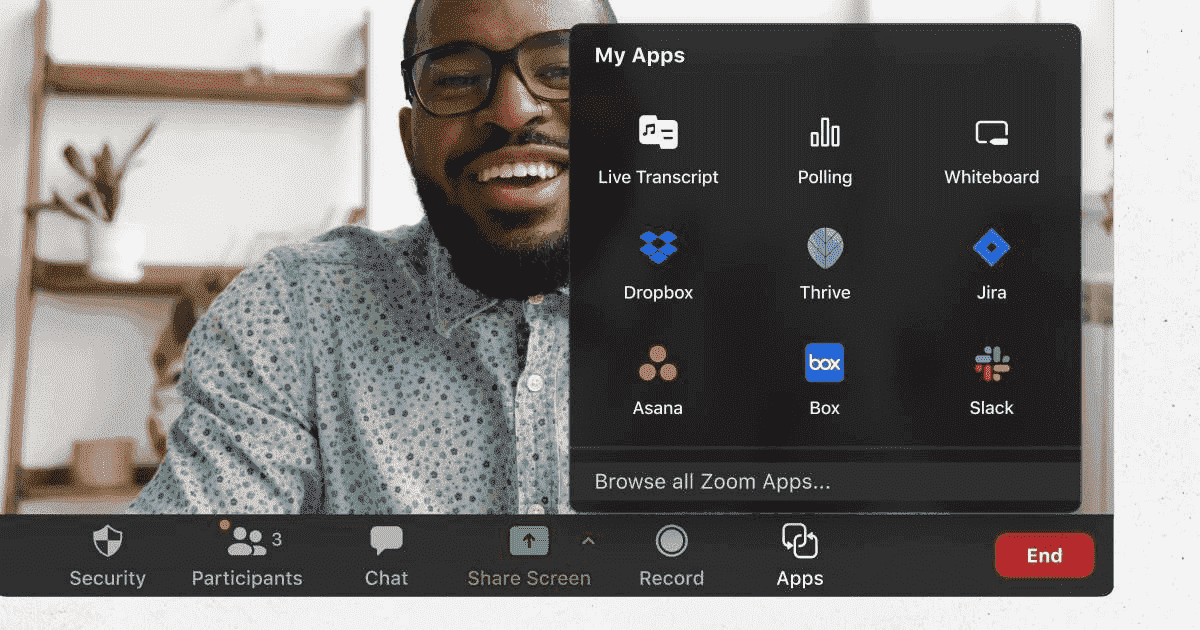
Zoom is widely used by Australian companies for regular meetings, interviews, and catch-ups with virtual assistants. The tool’s video conferencing capabilities provide the face-to-face interaction that’s sometimes missing in remote teams, allowing managers to ensure their VAs are aligned with business goals.
Key Features:
- High-quality video and audio calls
- Screen sharing and recording options
- Virtual backgrounds and meeting rooms
- Scalable pricing from a free basic plan to premium options
Why It Works: Zoom’s free version is perfect for businesses with limited virtual meeting needs, and its premium plans accommodate larger teams with extended call time and other features.
Cost Comparison of Popular Tools for Managing Virtual Assistants
| Tool | Key Feature | Free Version Available | Paid Options (AUD/Month) |
|---|---|---|---|
| Asana | Task Management | Yes | From $15 per user |
| Slack | Real-Time Messaging | Yes | From $10 per user |
| Trello | Visual Project Management | Yes | From $12.50 per user |
| Time Doctor | Time Tracking | No | From $12 per user |
| Google Workspace | File Sharing & Collaboration | No | From $8 per user |
| Zoom | Video Conferencing | Yes | From $20 per month |
This cost comparison highlights the affordability of various tools, allowing business owners to choose options that best suit their budget and requirements.
Real-World Example: How Australian Businesses Use These Tools
Kogan.com, a major Australian e-commerce company, uses a combination of Asana, Slack, and Google Workspace to coordinate with virtual assistants working on customer service, social media management, and order processing. These tools provide a centralised workflow where each team member can stay up-to-date, ultimately resulting in faster response times and higher client satisfaction.
Leveraging the Philippines for Cost-Effective Virtual Assistant Support
Many Australian businesses have turned to the Philippines to hire affordable yet highly skilled virtual assistants. Filipino VAs are known for their proficiency in customer support, graphic design, and project management, making them a valuable asset for companies looking to expand their team without incurring high costs.
Key Advantages:
- Cost Savings: Filipino VAs offer competitive rates, reducing the need for in-house hires.
- Highly Skilled Workforce: Many Filipino virtual assistants are skilled in social media management, data entry, and administrative tasks.
- Flexible Work Hours: Filipino virtual staff often adapt to the time zones of their Australian employers, making real-time collaboration easier.

Using tools like Time Doctor, Slack, and Zoom can further enhance productivity and communication, ensuring Australian businesses benefit from the global talent pool.
Benefits of Using Virtual Assistants vs. In-House Employees for Australian Businesses
| Benefits | Virtual Assistants | In-House Employees |
|---|---|---|
| Cost Savings | High | Moderate |
| Flexibility | Can be full-time/part-time | Typically full-time only |
| Remote Collaboration | Easily managed with tools | Typically onsite |
| Access to Global Talent | Extensive | Limited |
| Time Tracking | Available through tools like Time Doctor | Manual tracking |
This comparison shows how virtual assistants, paired with the right tools, provide Australian businesses with a cost-effective and flexible workforce solution.
Final Thoughts: Choosing the Right Tools for Your Virtual Team
Selecting the best tools for managing and communicating with virtual assistants is essential for productivity and smooth operations. Each tool has unique features that make it suited for specific tasks, from task management to time tracking and real-time collaboration. By leveraging the right tools and considering affordable virtual staff options from the Philippines, Australian businesses can stay competitive, reduce costs, and improve their efficiency.
Whether you’re managing day-to-day tasks or coordinating large projects, these tools provide the support and flexibility that Australian businesses need to thrive in an increasingly remote work environment. With the right approach and reliable virtual assistants, your business can enjoy sustained growth and success.